Download the va6666 App
for Android – Free APK
The va6666 App brings Bangladesh's full casino and crash game lobby to your phone. Deposit with bKash or Nagad, collect bonuses, and play slots or live casino anywhere — no browser needed.
18+ · Play Responsibly. Gambling involves financial risk.
Your Safety Comes First
The va6666 App APK is scanned and verified before every release. Here is what the app accesses — and why.
SSL Encryption on Every Request
All data between your phone and the va6666 servers travels over TLS 1.3 encryption. Your account credentials, deposit amounts, and personal details are never sent in plain text. The same protection used by online banks applies here, so playing on public Wi-Fi carries no extra risk.
Minimal Permissions Requested
The app asks for Internet access (to load games and process payments) and Storage access (to cache game assets for faster load times). It does not request your contacts, camera, microphone, or location. You can review and revoke permissions at any time in Android Settings → Apps → va6666.
Verified APK — No Third-Party Stores
Only download the APK from va6666.ws or the direct link on this page. Third-party APK mirror sites sometimes repack files with adware or keyloggers. The official file is 45 MB, version 3.6.15. If the size or version differs, do not install it and contact [email protected] immediately.
Account Security Tips
Use a unique password for your va6666 account — not the same one you use for bKash or email. Enable the in-app login PIN for an extra layer of protection. If you suspect unauthorised access, change your password immediately and contact 24/7 Live Chat. Never share your OTP or password with anyone claiming to be va6666 staff.
Install the va6666 App on Android — 5 Steps
Android blocks APKs from unknown sources by default. Follow these steps to install safely. The whole process takes under three minutes on any modern Android phone.
-
1
Allow Unknown Sources
Open Settings → Security (or Privacy on some phones) and turn on "Install unknown apps" for your browser or file manager. On Android 10+, Android will ask you per-install, so you can approve just once and leave the global setting off. This is the only setting you need to change before installing.
-
2
Download the APK
Tap "Download APK" on this page. Your browser will save va6666.apk (45 MB) to your Downloads folder. On slower connections the download takes about one minute. Do not close the browser tab mid-download or the file may be incomplete and fail the integrity check during install.
-
3
Open & Verify the File
Pull down your notification shade and tap the completed download, or open your file manager and navigate to Downloads → va6666.apk. Before tapping Install, confirm the file size shows 45 MB. A smaller file means the download was cut off — delete it and download again from this page.
-
4
Tap Install
Android shows the permissions screen listing Internet and Storage access. Review them, then tap Install. Installation takes about ten seconds. If Android asks whether to keep the existing version or replace it, choose Replace — this is a clean upgrade. The va6666 icon appears on your home screen once the process finishes.
-
5
Log In or Register
Open va6666, enter your username and password, then tap Log In. New to the platform? Tap Register on the welcome screen — creating an account takes under two minutes. Once inside, go to Deposit, select bKash or Nagad, and fund your account from ৳350 minimum. Your welcome bonus activates automatically on first deposit.
iOS Users — Add to Home Screen
Apple does not allow third-party APKs. iPhone and iPad users can still access va6666 via Safari. Open va6666.ws in Safari, tap the Share icon (box with an arrow), then choose "Add to Home Screen". This creates a full-screen shortcut that works like an app. Login, deposit, and gameplay all function identically to the Android app.
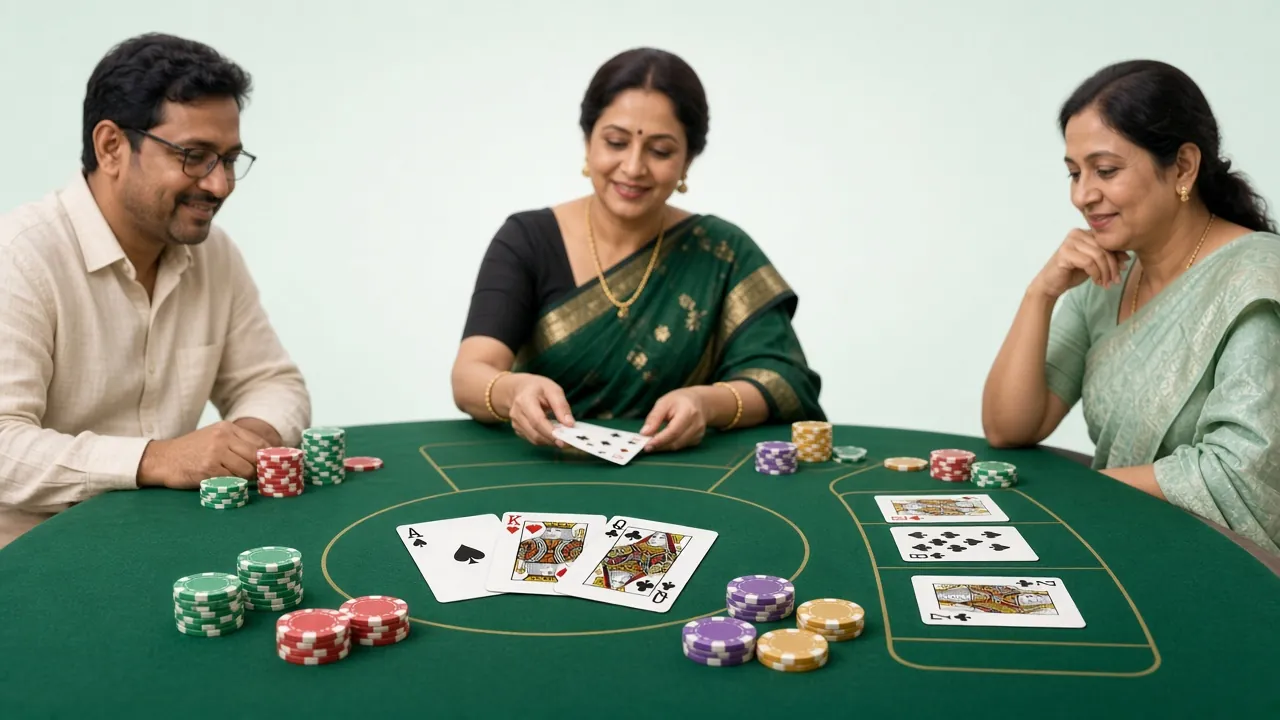
Everything the App Puts in Your Pocket
Every game category available on the desktop site is fully accessible in the va6666 App. Here are the six main areas.

4,800+ Slot Titles
PG Soft, CQ9, JDB and FA Chai titles load in seconds on the app. Try Butterfly Blossom (RTP 97.3%) or Win Drop (RTP 97.7%) from as little as ৳1 per spin. Slots are optimised for touchscreen with larger reel buttons and portrait-mode layout so you can play one-handed.

Live Dealer Tables
Stream HD live dealer games directly through the va6666 App. Mini Baccarat (JDB, RTP 96.1%) runs around the clock with Bangla-speaking hosts available during peak hours. Minimum bet ৳10, maximum ৳20,000. The app's adaptive streaming adjusts quality on 3G or 4G automatically, so the feed stays smooth even on slower connections.
Crash & Aviator Games
Spribe and FA Chai crash titles including Crash Goal run inside the app with the same multiplier feeds as the desktop version. Bet from ৳5, cash out before the crash. The app shows your bet history and auto-cashout settings in a dedicated panel, making strategy easier to manage on the go. Read the full Crash guide.
Fishing & Shooting Games
JDB's Relax Fishing (RTP 95.6%, bet ৳5–৳5,000) is built for touchscreen. Aim with your finger, tap to fire, collect multipliers for larger catches. The mobile version runs at 60 fps on mid-range Android phones. These games are a popular pick on Friday evenings when cricket is off-season and players want something fast and visual.
Cricket & Football Betting
Place bets on BPL, IPL, T20 and ODI matches directly from the app. Live in-play markets update every few seconds. Bangladesh Premier League matches are featured prominently during the season with enhanced odds on select matches. Football markets cover EPL, La Liga, Champions League and local South Asian leagues throughout the year.
Claim Bonuses Inside the App
The Bonuses tab in the app lists all active offers: a 240% first deposit bonus (up to ৳24,500), an 18% reload bonus on subsequent deposits, and 1.7% daily cashback. Claiming is one tap — no separate desktop step needed. Wagering progress is shown as a live bar so you always know how close you are to withdrawing bonus winnings. Register to claim now.
App vs. Mobile Browser — Which Is Better?
Both the va6666 App and the mobile website give you access to the same account and funds. Here is where they differ.
| Feature | va6666 App (APK) | Mobile Browser |
|---|---|---|
| Installation required | Yes — 45 MB one-time download | No — open va6666.ws in any browser |
| Game loading speed | Faster — assets cached locally | Slightly slower on first load each session |
| Push notifications | Yes — bonus alerts, deposit confirmations | Not available |
| Offline access | Cached UI only — games need internet | No — requires active connection throughout |
| Biometric / PIN login | Yes — fingerprint or in-app PIN | Browser-saved password only |
| Live stream quality | Adaptive HD — auto-adjusts to signal | HD available, less adaptive |
| Crash game performance | 60 fps on Android 8+ | 30–60 fps depending on browser |
| Deposit via bKash/Nagad | Direct deep-link to payment app | Manual switch between apps |
| iOS support | Android only | Yes — works on iPhone/iPad Safari |
| Auto-update | Manual — download new APK from this page | Automatic — always latest version |
Recommendation: Android users on 4G benefit most from the app. iOS users and anyone on a shared device should use the mobile browser.
System Requirements & Version Details
All figures below are taken directly from the current va6666 App release. Check your Android version under Settings → About Phone before downloading.
| App Version | 3.6.15 |
|---|---|
| File Name | va6666.apk |
| File Size | 45 MB |
| Minimum Android Version | Android 8.0 (Oreo) or higher |
| Supported Platforms | Android phones and tablets |
| iOS / iPhone Support | Not available as APK — use mobile browser (Safari) |
| Languages | English, Bangla |
| Price | Free |
| Last Updated | 3 November 2026 |
| Developer Contact | [email protected] |
To check your current installed version: open the app → Menu → Settings → About. If the version shown is older than 3.6.15, download the latest APK from this page and tap Replace when prompted.
Fix Common Installation Problems
Most installation failures have a simple cause. Find your error message below and follow the fix.
| Problem | Likely Cause | How to Fix It |
|---|---|---|
| "Install blocked — unknown sources" | Android's default security setting prevents APKs from outside the Play Store. | Go to Settings → Security → Install unknown apps, select your browser, and toggle Allow. Then retry the install. On Android 10+, the permission prompt appears automatically during install — tap Allow this time. |
| "Parse error" or "Package invalid" | The downloaded file is incomplete or corrupted. This usually happens when the download was interrupted mid-way. | Delete the existing va6666.apk from your Downloads folder. Reconnect to Wi-Fi or a stable 4G signal, then download again from this page. Do not interrupt the download. Verify the file size shows 45 MB before tapping install. |
| App installs but crashes on launch | Your Android version is below 8.0, or insufficient storage space (less than 150 MB free) is causing the app to fail at startup. | Check your Android version: Settings → About Phone. It must be 8.0 or higher. Also free up storage — the app needs at least 150 MB of free space to cache game assets on first run. Uninstall unused apps, then relaunch va6666. |
| "App not installed" with no specific error | A previous or partial version of the app is conflicting with the new install, or storage is full. | Uninstall any existing version of va6666 first: Settings → Apps → va6666 → Uninstall. Then clear your Downloads folder, re-download the APK fresh, and install again. If the problem continues, restart your phone before installing. |
| Games load slowly or crash in-app | Weak internet connection (below 3 Mbps) or the game cache is corrupted after an interrupted session. | Switch from mobile data to Wi-Fi if possible. Inside the app go to Settings → Clear Cache to remove any corrupted files. For live casino streams specifically, close other apps running in the background to free RAM. If one game fails, try another title — provider servers occasionally have brief outages. |
Still stuck? Contact 24/7 Live Chat inside the app or email [email protected] with your Android version and a screenshot of the error message.
Questions About the va6666 App
Answers to the questions players ask most before downloading.
01 Is the va6666 APK safe to download and install?
Yes — provided you download it only from va6666.ws or the direct link on this page. The APK file is scanned before each release and uses TLS 1.3 for all data in transit. The app requests only Internet and Storage permissions — nothing more. To stay safe, never download va6666.apk from third-party mirror sites or messaging groups. If the file size differs from 45 MB, discard it and download again from this page.
02 Why do I get "install blocked" when I try to open the APK?
Android blocks APKs from outside the Play Store by default. To allow the install, go to Settings → Security → Install unknown apps and enable it for your browser. On Android 10 and above, the system asks you at the moment of install rather than requiring a global setting — just tap Allow this time when the prompt appears. The setting only needs to be changed once. After installation you can turn it off again.
03 How do I update the app when a new version comes out?
The va6666 App does not auto-update — you update it manually. When a new version is available, a banner appears inside the app asking you to download. Tap it, or come back to this page and download the latest APK. After downloading, tap the file and choose Replace when Android asks. Your account data, balance, and preferences are stored on the server, so nothing is lost during the update. The current version is 3.6.15, released 3 November 2026.
04 Is there an iOS version of the va6666 App?
There is no iOS APK — Apple's App Store policies prevent third-party casino APKs. iPhone and iPad users should open va6666.ws in Safari, then tap the Share button and choose "Add to Home Screen." This creates a shortcut that opens the site in full-screen mode without the browser address bar, giving an app-like experience. Login, deposit, withdrawal, and gameplay all work identically. bKash and Nagad payment deep-links function normally on iOS Safari.
05 Can I use bKash or Nagad to deposit inside the app?
Yes. The va6666 App supports bKash, Nagad, Rocket, Upay, and Bank Transfer. To deposit, tap Deposit in the app menu, select your method, enter the amount (minimum ৳350), and tap Confirm. On Android, the app links directly to your bKash or Nagad app for the PIN step — no manual switching needed. Deposits arrive in under 1 minute in most cases. For a full step-by-step deposit guide, see the Deposit Guide page.
06 Do I need a new account if I already play on the website?
No — the app and the website share the same account. Log in with your existing username and password. Your balance, bonus progress, game history, and VIP level are all identical across both. If you have never played va6666 before, tap Register on the app's welcome screen or visitthe Register page to create one in under two minutes. One account works everywhere — mobile app, mobile browser, and desktop.
07 What should I do if the app shows a blank screen after login?
A blank screen after login usually means the app's local cache is outdated or your internet connection dropped during the session handshake. First, close the app fully (swipe it away from the recent apps list) and reopen it. If that does not work, go to Settings → Apps → va6666 → Clear Cache and try again. Make sure you have at least 3 Mbps of data speed. If the problem persists after clearing cache, uninstall and reinstall the latest APK from this page. Your account and balance are safe on the server.
Ready to play on mobile?
Download the va6666 App, create your account, and claim your 240% welcome bonus — all from your phone.
18+ · Play Responsibly. Gambling can be addictive. Set limits and only bet what you can afford to lose. Responsible Gaming